Simulator connection
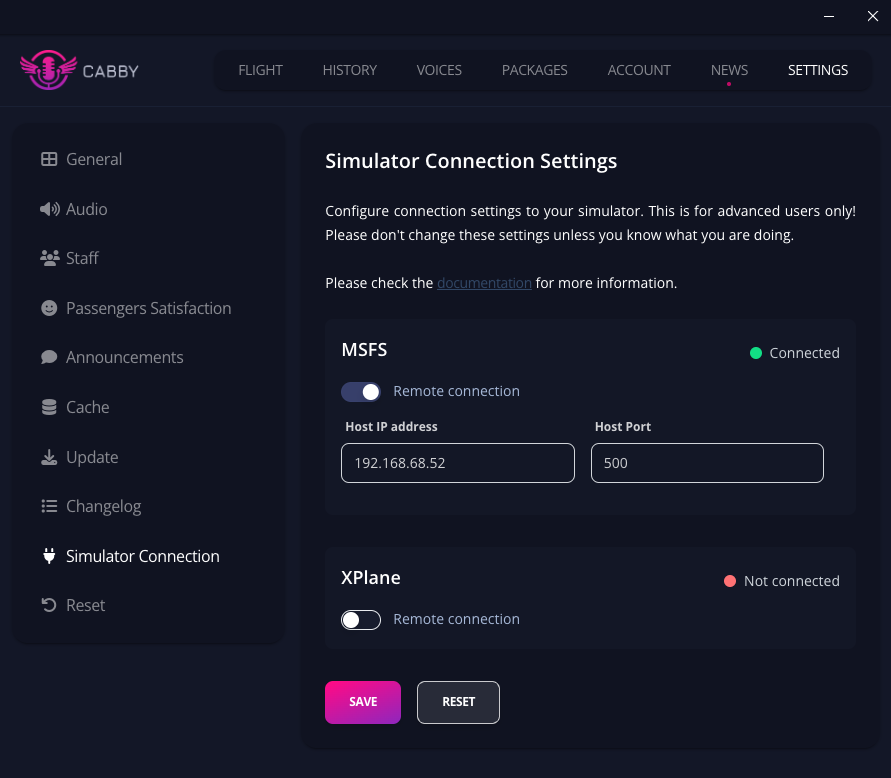
If you plan to use Cabby on a device that is not on the same PC as your simulator, you can configure it in the "Simulator Connection" section.
Toggle "Remote connection" next to your simulator and fill in the data:
- Host IP address - the IP address of the PC your sim is running on
- Host Port - the port number that the SDK is listening on
XPLANE
When you provide proper data, XPLANE integration should work out of the box.
MSFS
You need to update your SimConnect.xml file on the "host" machine.
- MSFS2020 location:
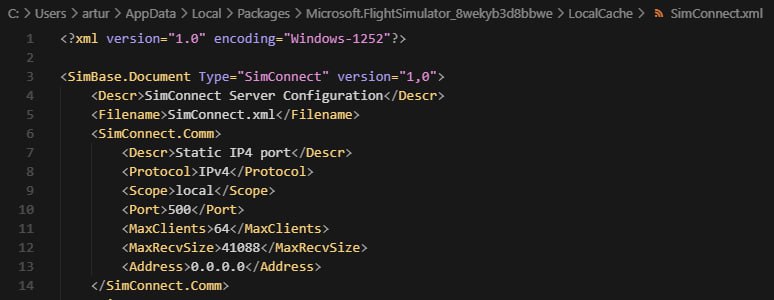
%LocalAppData%\Packages\Microsoft.FlightSimulator_8wekyb3d8bbwe\LocalCache - MSFS2024 location:
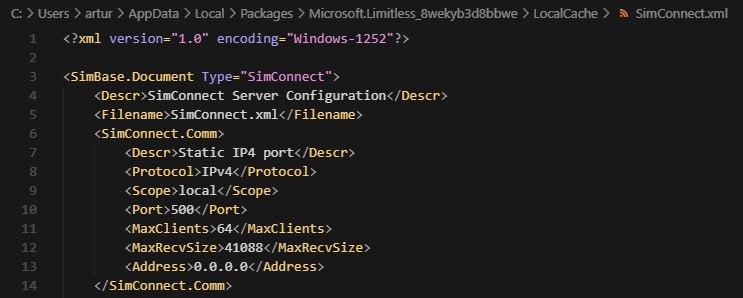
%LocalAppData%\Packages\Microsoft.Limitless_8wekyb3d8bbwe\LocalCache
Set property
<Address>0.0.0.0</Address>
When you have your SimConnect.xml opened - you can also get port number from here.
Example
MSFS 2020
MSFS 2024